---
title: p.ui.screen
description: "## Syntax **p.ui.screen** ## Purpose The p.ui.screen annotation is used to tag an element as being a representation of a text-based user interface. Examples of text-based user interfaces include DOS or the Windows command console. ## Example The following is…"
url: "https://www.stilo.com/docs/migrate/task/p-ui-screen/"
updated: "2023-12-18"
category: Annotations / Task
tags:
  - Annotations
---

# p.ui.screen

## Syntax

**p.ui.screen**

## Purpose

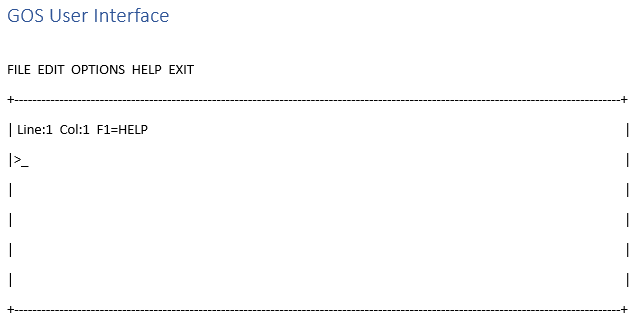
The p.ui.screen annotation is used to tag an element as being a representation of a text-based user interface. Examples of text-based user interfaces include DOS or the Windows command console.

## Example

The following is an example of a time when you might want to use the annotation
![](https://www.stilo.com/wp-content/uploads/2023/12/stilo-dita-xml-annotation-p.ui_.screen0.png)


The following is an example of a rule that will apply the annotation

![](https://www.stilo.com/wp-content/uploads/2023/12/stilo-dita-xml-annotation-p.ui_.screen1.png)

The following is the DITA XML output for the rule:

<title>GOS User Interface</title>

<conbody>

<screen>FILE  EDIT  OPTIONS  HELP  EXIT&#x2028;
 +---------------------------------------------------------------------------------------------------------------------------------------+&#x2028;
 | Line:1  Col:1  F1=HELP                                                                                                                                       |&#x2028;
 |>_                                                                                                                                                                                   |&#x2028;
 |                                                                                                                                                                                       |&#x2028;
 |                                                                                                                                                                                       |                                                                                  &#x2028;
 |                                                                                                                                                                                       |&#x2028;
 |                                                                                                                                                                                       |&#x2028;
 +---------------------------------------------------------------------------------------------------------------------------------------+</screen>

</conbody>

</concept>


